
My teacher
Connect with your teacher with a link or a QR code, and see exactly what they can and can’t see.
Add your teacher
Section titled “Add your teacher”- Your teacher sends you a link or shows a QR code.
- Open it. The bot shows who is inviting you and what they would see.
- Tap ✅ Confirm, or Not now. If you decline, your teacher isn’t told.
Accept only if you know the person: anyone can type any name.
What your teacher sees
Section titled “What your teacher sees”- your name;
- what you log from the day you add them: practice or rest, and your practice length;
- your last asana;
- if nothing shows for a while, a short note saying just that.
What stays with you
Section titled “What stays with you”- check-ins and diary notes;
- the reason for a rest day. All rest looks the same to a teacher, whatever it was;
- everything you logged before you added them;
- your badges.
Your list
Section titled “Your list”/teachers shows your teachers and your shalas.
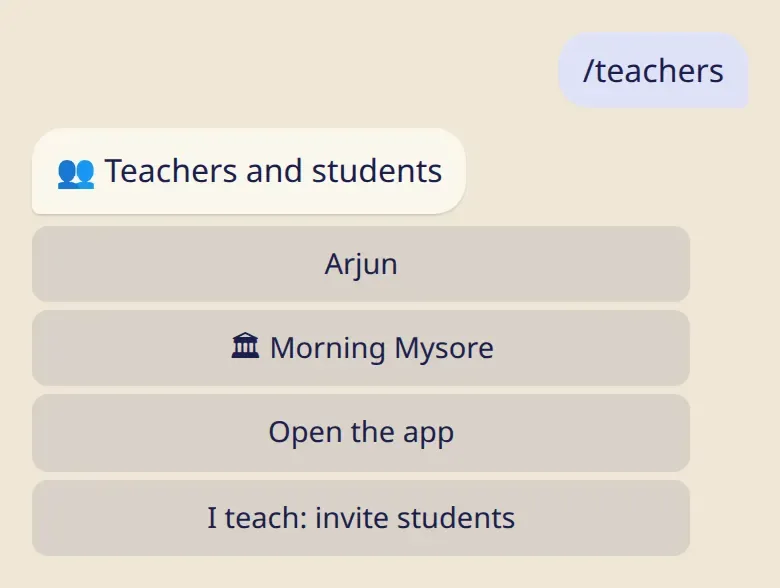
- You can have several teachers. ⭐ marks your main one. If you haven’t chosen a city yourself, your moon days follow the city they chose.
- Tap a name, then Remove… to take them off your list. Nobody gets a message.
Messages from your teacher
Section titled “Messages from your teacher”A teacher can send a short announcement to all their students through the bot. Tap 🔕 Mute under one if you’d rather not receive them. Nobody is told, and you can still read them under 📣 Announcements.
Good to know
Section titled “Good to know”- Your log works exactly the same with or without a teacher.
- A teacher can mark a new asana for you. You get a message and can undo it.