
My practice: calendar, month, badges
Your year at a glance, a summary of each month, quiet badges, and cards you can share if you feel like it.
Open it
Section titled “Open it”Open the app and tap 📊 My practice.
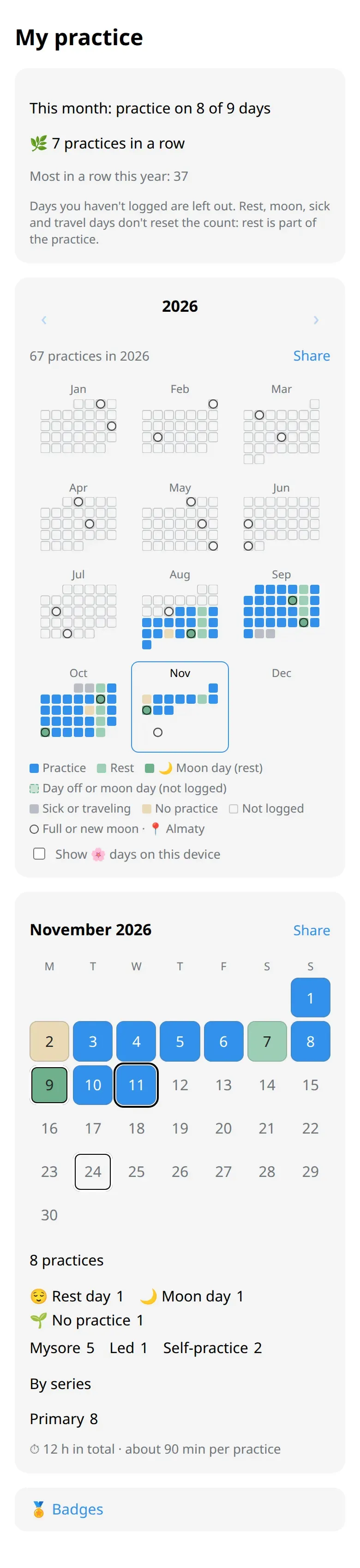
What you see
Section titled “What you see”- The year. Twelve small months. A filled square is a practice; softer colours are rest, moon days, illness or travel. A ring marks a full or new moon.
- This month in words. For example, practice on 9 of 10 days. The second number counts only the days you logged as practice or 🌱 No practice. Rest and days you didn’t log are left out.
- In a row. How many practices came one after another. Rest, moon days, illness and travel don’t reset it.
- The month. A calendar, then a summary: practices, where you practiced, which series, total time.
Tap a day in the month calendar to log it or change it.
Badges
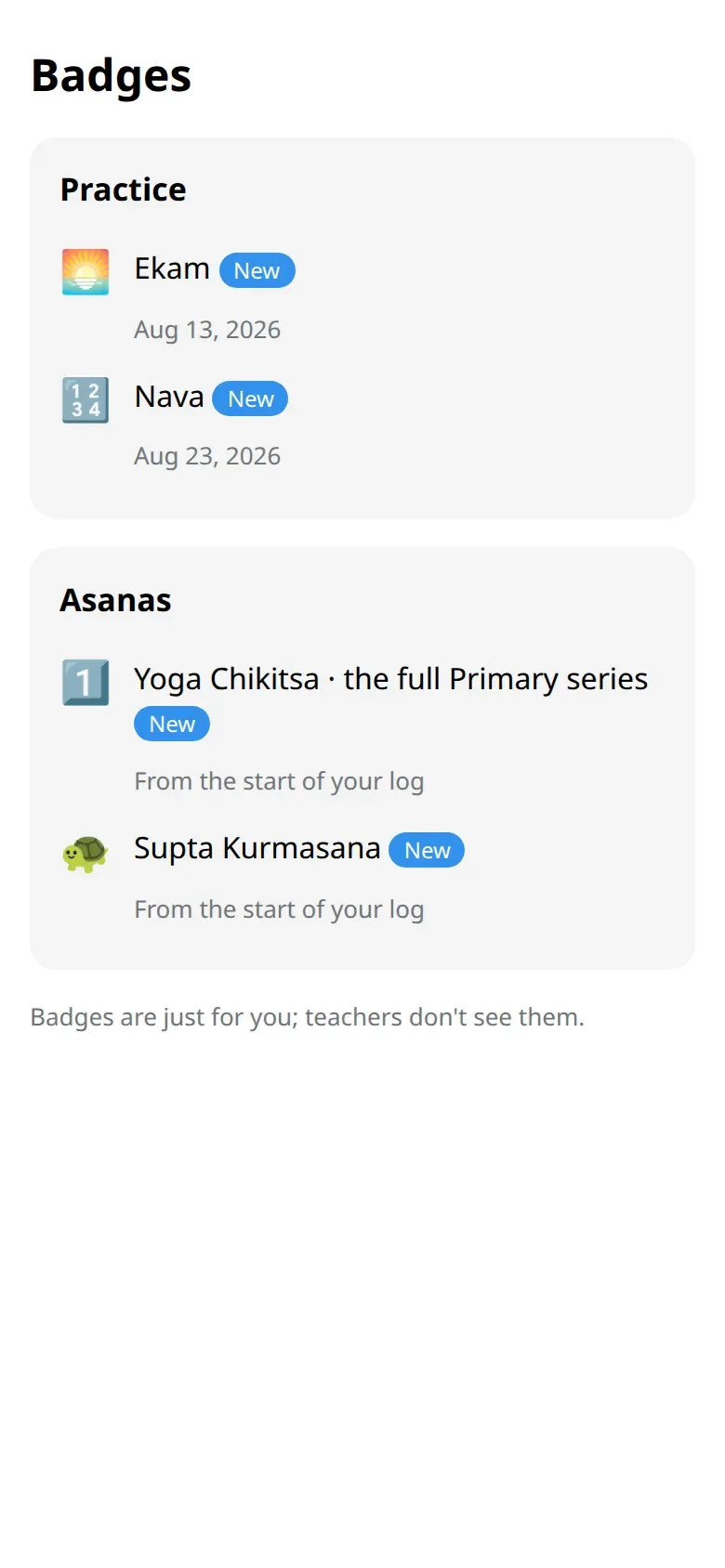
Section titled “Badges”Tap 🏅 Badges at the bottom. You see only the badges you have earned, and when. They are just for you: teachers don’t see them, and there is no ranking.
Share a card
Section titled “Share a card”Share next to the year or the month makes a picture for a story or a post. You can share it to a story, save it, or send it to your own chat. The card shows your practice days and nothing else: no name, no notes, no reasons for rest.
Good to know
Section titled “Good to know”- At 100, 365 and 1000 practices the bot says a quiet thank-you. Nobody is compared with anyone.
- 🌸 days look like rest here unless you choose to show them on your phone.