
First steps
Open the bot, pick your language and log your first day. It takes about two minutes.
- Open @tristhana_bot in Telegram and send
/start. - The bot greets you and asks about today. Tap 🧘 Practiced or 😌 Rest day: both go in your log.
- That’s it, your first day is logged. After a practice you can add a few details, or just leave it at one tap.
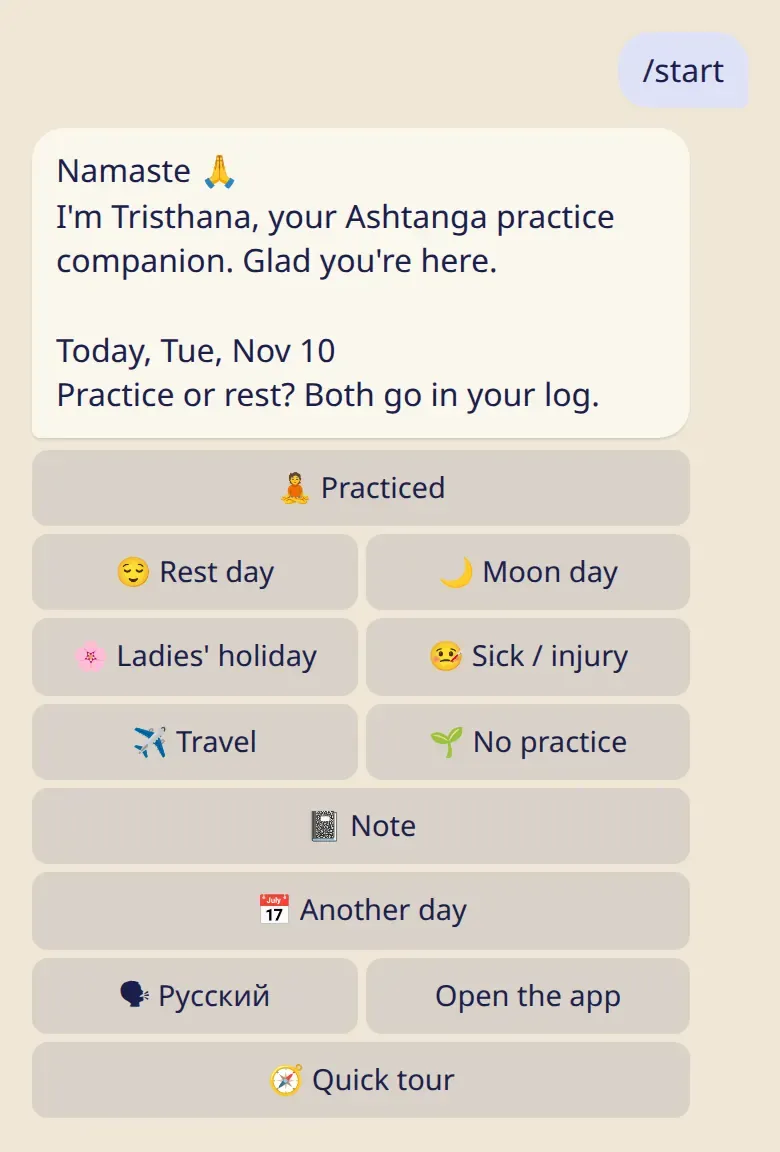
Pictures of the bot are drawn from its real messages.
Good to know
Section titled “Good to know”- No sign-up. Your account is created the moment you send
/start. There are no forms and no password. - Language. The bot starts in your Telegram language. The button with the other language’s name switches it, and you can change it later in
/settings. - Your time zone. Tap Open the app once. The app tells the bot your phone’s time zone, so your days land on the right date.
- A quick look around. 🧭 Quick tour under
/helpshows the main things in five short steps.
- The bot and the app: which one is for what.
- Log a practice: details, earlier days, changes.